Is Spatial Computing the Same as AR, VR, or Mixed Reality?
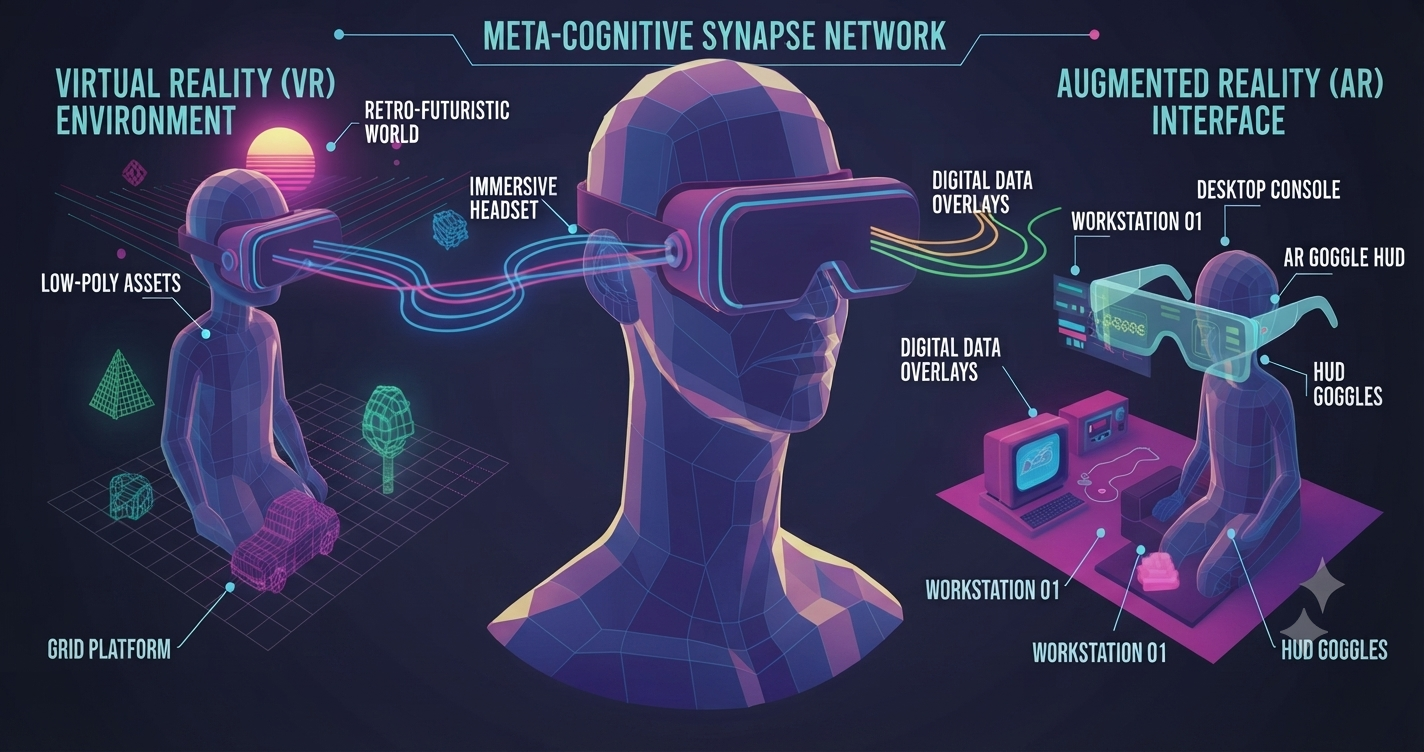
AR, VR, Mixed Reality, and Spatial Computing are often used interchangeably but they are not exactly the same.
It's an easy mistake to make. All four terms describe digital experiences that go beyond the traditional flat screen, and tech companies frequently blend them together in marketing copy to sound cutting-edge. The buzz has only grown louder since devices like Apple Vision Pro pushed "spatial computing" into everyday conversation, leaving many people wondering whether it's just a fancier way of saying "VR headset."
So which is it? Is spatial computing simply another name for AR or VR? Or is it a broader concept that AR, VR, and MR all fall under?
In this article, we'll break down what spatial computing actually means, how AR, VR, and MR differ from one another, how these technologies work together in practice, where they're already being used, and what their combined future might look like.
What Is Spatial Computing?
Quick answer: Spatial computing is a technology approach that allows computers to understand, interact with, and place digital content within the physical world using sensors, cameras, artificial intelligence, and advanced interfaces.
Rather than describing one specific type of headset or app, spatial computing describes a relationship the way digital information, the physical environment, and human interaction come together in real time.
To make that possible, spatial computing systems typically rely on:
Computer vision – to recognize and interpret the physical world
Sensors – to gather real-time data about surroundings
3D mapping – to build an accurate digital model of a space
Gesture recognition – to let people interact naturally, without a keyboard or mouse
Artificial intelligence – to make sense of it all and respond intelligently
Spatial audio – to make digital sound feel like it's coming from a real location
In practice, this shows up as virtual objects placed convincingly in real rooms, 3D collaboration spaces where remote teams share a virtual table, and immersive simulations used for hands-on training.
What Is Augmented Reality (AR)?
Augmented Reality overlays digital information on top of the real-world environment. The simplest way to think about it:
Real World + Digital Layer = AR
You've probably used AR without thinking of it that way. Snapchat filters, Google Maps' AR walking directions, virtual furniture placement apps, and try-before-you-buy shopping previews are all everyday examples.
The defining traits of AR are straightforward:
Users stay fully aware of their real surroundings.
Digital elements enhance, rather than replace, the physical world.
It's usually delivered through smartphones or lightweight AR glasses.
What Is Virtual Reality (VR)?
Virtual Reality creates a completely digital environment that replaces the physical world entirely.
Digital Environment → Full Immersion → VR Experience
Instead of adding to reality, VR removes it from view. Once you put on a headset, your surroundings disappear and you're transported somewhere else entirely whether that's a game world, a virtual museum tour, a training simulation, or a meeting room that only exists in software.
This full immersion depends on dedicated hardware: VR headsets, motion controllers, and tracking systems that follow your head and hand movements so the virtual world responds convincingly.
What Is Mixed Reality (MR)?
Mixed Reality sits between AR and VR. It combines physical and digital environments in a way that allows virtual objects to genuinely interact with the real world.
Physical World + Digital Objects + Interaction = MR
Think of holographic displays that project onto your actual desk, industrial design tools that let engineers walk around a life-size digital prototype, or collaborative 3D workspaces where teammates manipulate the same virtual object together.
The key difference from basic AR comes down to interaction:
AR: Digital objects are usually just overlaid on top of what you see.
MR: Digital objects understand the environment and react to it—a virtual ball can bounce off your real coffee table.
Spatial Computing vs AR vs VR vs MR: Key Differences
| Technology | Main Idea | User Experience | Example |
|---|---|---|---|
| Spatial Computing | Computing that understands physical space | Digital interaction in 3D environments | Apple Vision Pro |
| AR | Adds digital elements to reality | Real world remains visible | Navigation overlays |
| VR | Creates fully digital worlds | User enters virtual environment | VR games |
| MR | Digital objects interact with real world | Blended physical + digital experience | 3D collaboration |
Is Spatial Computing Just Another Name for AR and VR?
Myth: Spatial computing is simply another term for AR or VR.
Reality: Spatial computing is a broader computing concept that can include AR, VR, and MR experiences.
Here's the distinction that matters: AR, VR, and MR each describe a specific type of experience a user has. Spatial computing describes something bigger the overall interaction model between humans, computers, and physical space. AR, VR, and MR are best understood as different expressions of spatial computing, not competitors to it.
How Spatial Computing Works Behind the Scenes
At a high level, spatial computing systems follow a consistent pipeline:
Sensors & Cameras
        ↓
Environment Understanding
        ↓
AI + Spatial Mapping
        ↓
Digital Content Placement
        ↓
User Interaction
Sensors capture the environment. Cameras, LiDAR sensors, and motion trackers continuously collect raw data about the physical space around the device.
AI understands space. Machine learning models process that raw data to identify objects, surfaces, depth, and how the user is moving through the room.
Digital content is placed. Once the system understands the environment, it can position virtual elements so they appear locked accurately in place—not floating awkwardly or drifting as the user moves.
Users interact naturally. Rather than relying on a mouse or keyboard, spatial computing favors natural inputs: hand gestures, voice commands, eye tracking, and handheld controllers.
Real-World Applications of Spatial Computing
Healthcare Spatial computing is already supporting medical training, surgical visualization, and patient education by letting practitioners and patients "see" anatomy in three dimensions rather than on a flat diagram.
Education Classrooms are experimenting with interactive 3D learning, virtual laboratories for subjects that are expensive or dangerous to teach hands-on, and fully immersive lessons.
Manufacturing and Engineering Teams use spatial computing for product design reviews, remote assistance where an expert can annotate a technician's real-world view, and digital prototypes that skip costly physical builds.
Retail and E-Commerce Virtual try-ons, realistic product visualization, and virtual showrooms are helping shoppers make decisions without ever visiting a physical store.
Gaming and Entertainment Immersive games, virtual experiences, and interactive storytelling remain some of the most visible and mainstream applications of the technology.
Why Spatial Computing Is Becoming Important
A few converging trends explain why spatial computing is having a moment right now.
More powerful hardware - Sensors are more accurate, processors are faster, and displays are sharper than they were even a few years ago, making immersive experiences far more comfortable and convincing.
AI advancements - Modern AI gives devices better environment understanding, more natural interaction methods, and intelligent assistants that can respond contextually to what a user is looking at or doing.
New ways of working - Businesses are increasingly exploring virtual collaboration, remote training, and 3D-native workflows as distributed teams look for better alternatives to video calls and flat documents.
Challenges of Spatial Computing
Hardware Limitations Problem: Devices can still be expensive and heavy. Impact: This slows mass adoption, especially outside enterprise budgets. Solution: Future devices need to get smaller, cheaper, and more comfortable for all-day wear.
Privacy Concerns Problem: These devices constantly collect environmental and personal data to function. Impact: Users are understandably cautious about how that data is stored and used. Solution: Strong privacy controls and transparent data policies need to be built in from the start, not added later.
User Experience Challenges Problem: Immersive technology can create real physical discomfort. Examples: Motion sickness, a steep learning curve, and interactions that feel complex compared to tapping a screen. Solution: Better design and more natural interfaces will be essential to making spatial computing accessible to mainstream users, not just early adopters.
The Future of Spatial Computing
Looking ahead, expect to see AI-powered spatial assistants that understand context in real time, lighter and more socially acceptable AR glasses, increasingly realistic virtual environments, and growing enterprise adoption across industries like healthcare, manufacturing, and retail.
Over time, spatial computing may become another recognized computing platform joining desktop computing, mobile computing, and cloud computing as a distinct way people interact with technology.
Final Thoughts
Spatial computing is not the same as AR, VR, or MR. It's a broader concept that describes how computers understand and interact with physical space—and AR, VR, and MR are different approaches that live within that larger ecosystem.
The future of computing may move beyond screens. Instead of interacting with digital information through flat displays, users may increasingly interact with technology as part of their physical environment.